FaceFinder: AI Face Search
About
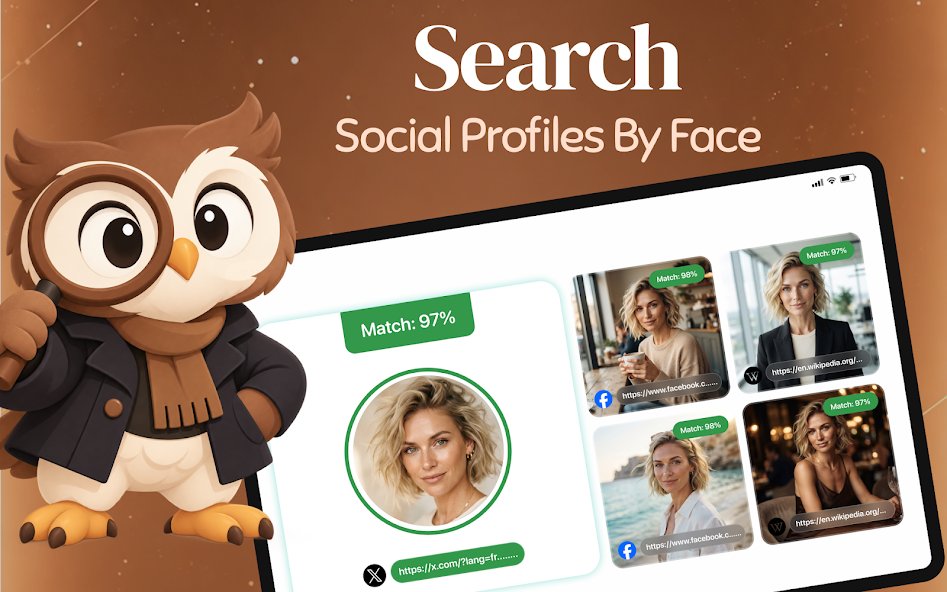
FaceFinder: AI Face Search helps you search by face instead of by name. Choose one photo, and FaceFinder uses AI face recognition to find similar face matches across public web pages and public social profiles, then ranks every result by how closely it resembles your photo.
Want to see where a picture of you appears online? Curious whether you have a look-alike? Checking if a photo has been reused on another site? FaceFinder runs a reverse image search and face search across publicly available sources to discover where a photo appears online.
WHAT YOU CAN DO WITH FACEFINDER
- AI face search – find faces that look like the one in your photo
- Reverse face search – see where similar faces appear on the public web
- Reverse image search – spot copies of the same picture on other pages
- Public social profile matches – review public profile pages where a similar face shows up
- Look-alike finder – discover people who share similar facial features
- Check your own photos – find out where your pictures are posted online
- Match scores & previews – compare each result at a glance
- Source links – open the original public page in one tap
- Search history – saved on your device, clear it anytime
HOW AI FACE SEARCH WORKS
1. Pick a photo from your gallery, take a new one with the camera, or paste an image link
2. Crop the face you want to search
3. FaceFinder runs a secure AI face search across supported public sources
4. Browse face matches sorted from most to least similar, each with its source link
TIPS FOR BETTER FACE MATCHES
- Use a clear, well-lit photo with the face looking toward the camera
- Keep one face per image
- Avoid heavy filters, sunglasses, and blurry screenshots
PUBLIC SOURCES & PRIVACY
FaceFinder only searches images that are already publicly available, such as public social profiles, news sites, blogs, and forums. It cannot access private accounts, messages, or anything behind a login. No sign-up is needed, your photo is sent over an encrypted connection only to run your search, and your search history stays on your phone. We do not sell your photos.
CREDITS & SUBSCRIPTION
Each face search uses credits, available through a subscription or a one-time in-app purchase. Prices are always shown before you pay, and you can cancel anytime in Google Play.
IMPORTANT
FaceFinder shows visual similarity only and is not an identity verification service. A high match score means two faces look alike; it does not confirm that they are the same person, and FaceFinder does not identify people or verify identities. Results may be incomplete or outdated. Only search photos you have the right to use, and never use FaceFinder to harass, stalk, impersonate, or discriminate against anyone, or to make decisions about employment, housing, credit, or insurance. Follow the laws where you live.
Find out where your photos appear online. Get FaceFinder: AI Face Search and start your first search in seconds.
Gallery
Reviews
No reviews yet. Be the first to share your experience.